
Manage subagents
Subagents run delegated tasks in child sessions with separate context.
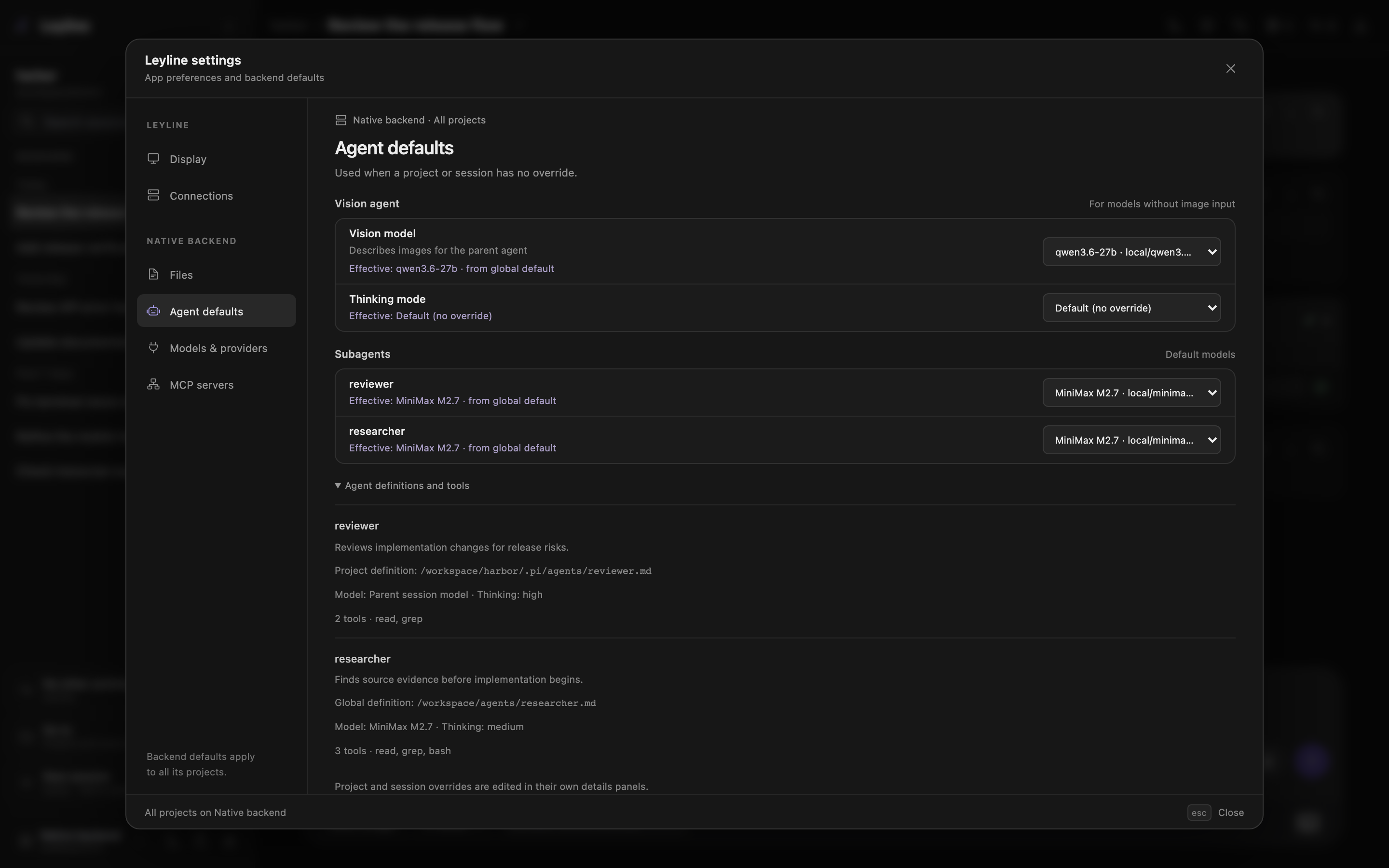
Each subagent row shows the model and its source at the scope you are editing.
Open subagent settings
- Select Open settings at the bottom of the sidebar.
- Select Agent defaults.
- Find Subagents.
The list includes project and global agent definitions. Expand Agent definitions and tools for descriptions, source paths, model and thinking defaults, and tool lists.
Deep research uses a reserved bundled researcher. It does not appear in this list and inherits the parent model and thinking level by default.
Select a model scope
The surface determines the scope:
- Settings → Agent defaults supplies global defaults for projects on the selected backend.
- Project actions → Project settings → Settings changes defaults for that project.
- Session details in the workbench header changes only the selected session. Forks copy this override.
Select a model in the subagent row. The option label contains the model name and provider/model-id.
Select the inherited option to remove a project or session override. In Agent defaults, select Use agent definition to remove the global override.
Select Parent session model to store inherit. The child uses the parent session model when that override applies.
The Effective or Inherited text shows the result from the displayed scope and its broader defaults. A global view does not include project or session overrides.
Understand model precedence
Leyline selects a child model in this order:
- A model requested for the specific subagent tool call.
- The session override.
- The Project override.
- The Global override.
- The model in the agent definition.
- The child runtime default.
An applicable inherit value uses the parent session model.
Understand thinking precedence
Subagent settings manage model overrides only. Thinking comes from the subagent request or agent definition.
A thinking level requested for one child run takes priority. Otherwise, the agent definition applies. The child runtime default applies when neither value exists.
The inherit thinking value uses the parent session thinking level.
Understand execution modes
The agent can use three subagent modes:
- single runs one agent for one task.
- parallel runs task groups concurrently, with up to four tasks in each batch.
- chain runs steps in order and replaces
{previous}with the prior output.
A model or thinking value on one task takes priority over the mode-level value.
Read a subagent card
Each subagent call stays in one compact row inside an Activity card. Task details open in the subagent inspector instead of expanding the transcript.
If the card contains only one subagent call, select its header or row to open the inspector directly. This also applies to a call with several parallel tasks. If the card contains several tool calls, expand it first, then select the subagent row.
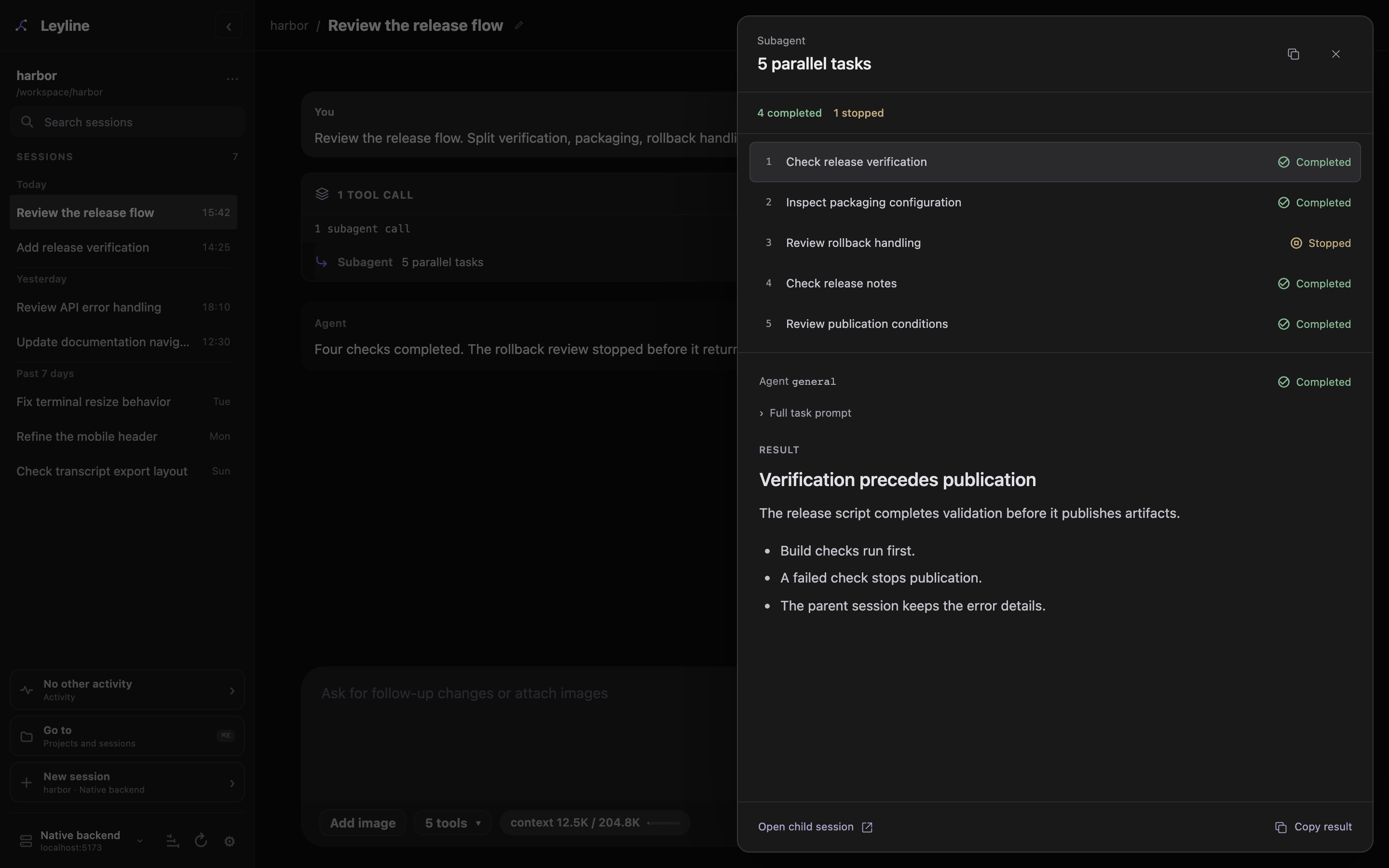
The Activity card keeps its outcome counts while the inspector shows one task at a time.
The inspector opens as a side sheet on desktop and a bottom sheet on mobile:
- Select a task to read its status and result.
- Expand Full task prompt to read the original instructions.
- Select Open child session to open the child transcript, when available.
Use Command-click, Ctrl-click, or middle-click on Open child session to open the child in a new tab or window. Selecting a task row only changes the inspector's selected task.
Copy result copies the selected task's text result. Copy tool output in the inspector header copies the parent tool output. Press Escape, select the close button, or select the backdrop to close the inspector. Closing it does not stop the child run.
The task list stays in its original order. Live updates and saved results preserve the selected task and reading position.
Stopped means cancellation. Failed means a task error. Not started means the task did not run. Missing final outcomes show Unknown. Completed results remain available when another task stops or fails. If task results are unavailable, Call output preserves the original tool response or error.
Resolve pending extension confirmations before opening the inspector. A new confirmation closes it so the Confirm and Cancel controls remain accessible.
Inspect delegated runs
Open Session traces in the parent header to inspect the subagent tool observation. Available Child sessions links open child transcripts. Captured child runs also appear in the selected backend's trace explorer, even though children stay hidden from the session sidebar.
Trace capture starts on for new runs and can retain delegated prompts and results. See Tracing for capture controls and privacy.
Return to the parent session
Child sessions are hidden from the sidebar. Their header shows ← parent session.
Select ← parent session to return to the parent transcript. Use a modified click to open the parent in a new tab or window.