
Leyline
A workspace that runs your pi sessions in a browser or desktop window. Steer a run while it works, then read the transcript and tool calls.
Read the live transcript and send a follow-up from the same window.
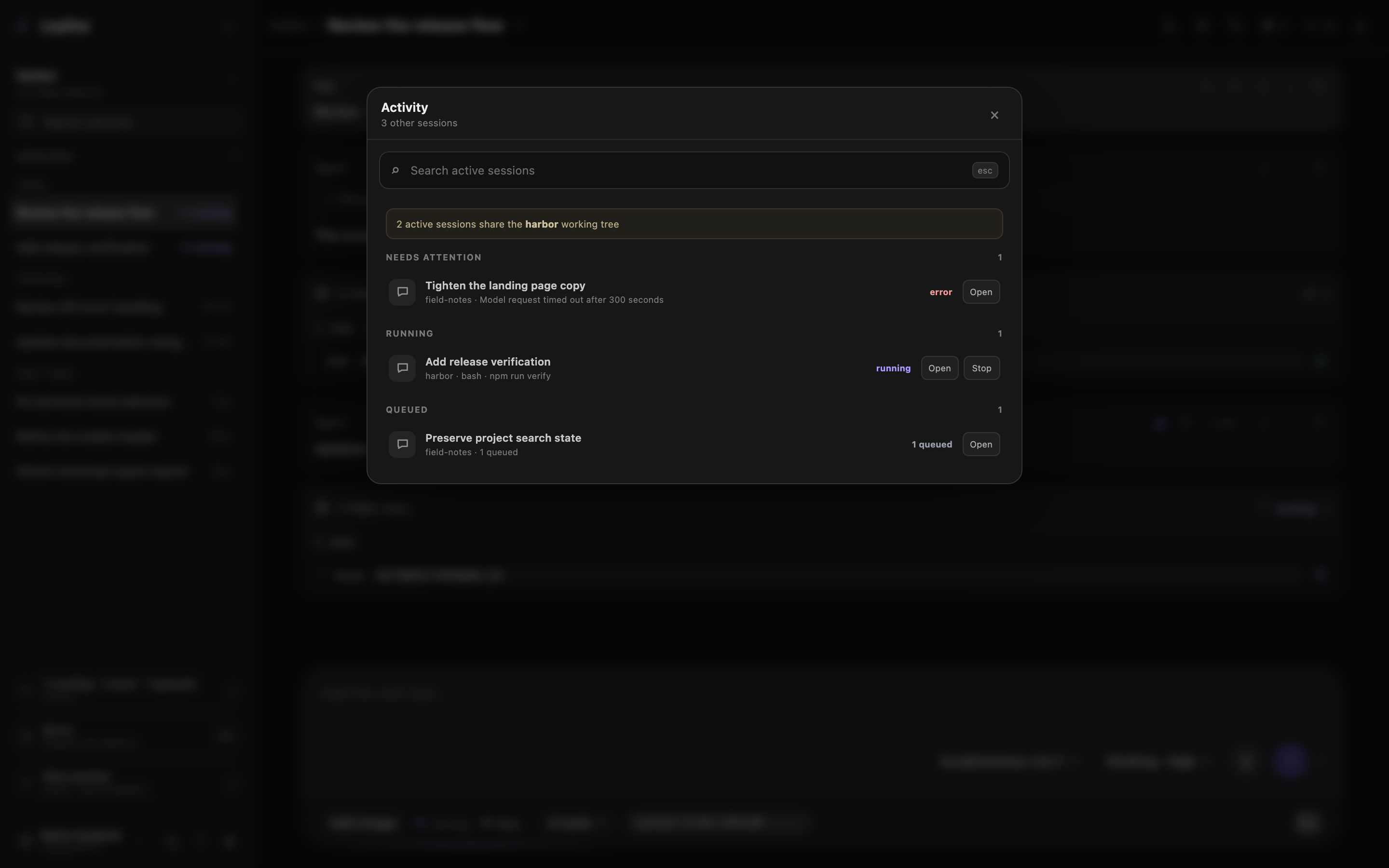
Sessions
See which sessions need attention.
Pin sessions in the project sidebar and open child runs from their parent. Activity shows work in other sessions without switching away.
Composer
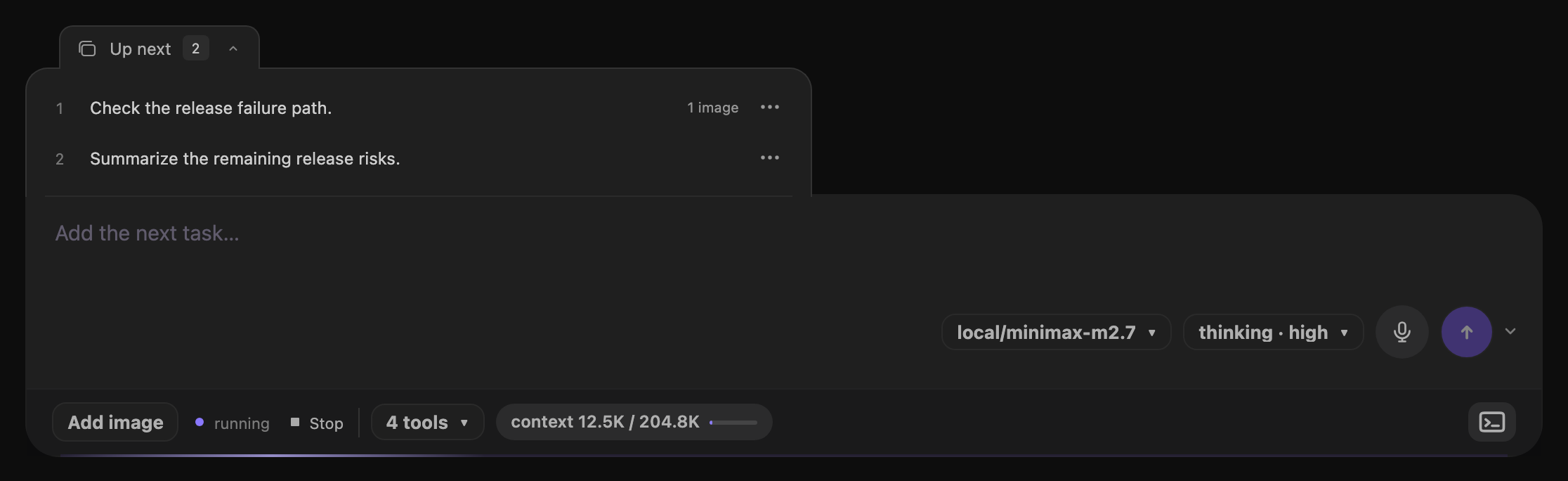
Send the next task before this one ends.
Steer the active run or queue a task for later. Edit queued tasks before they run, or stop one session without stopping the others.
Git review
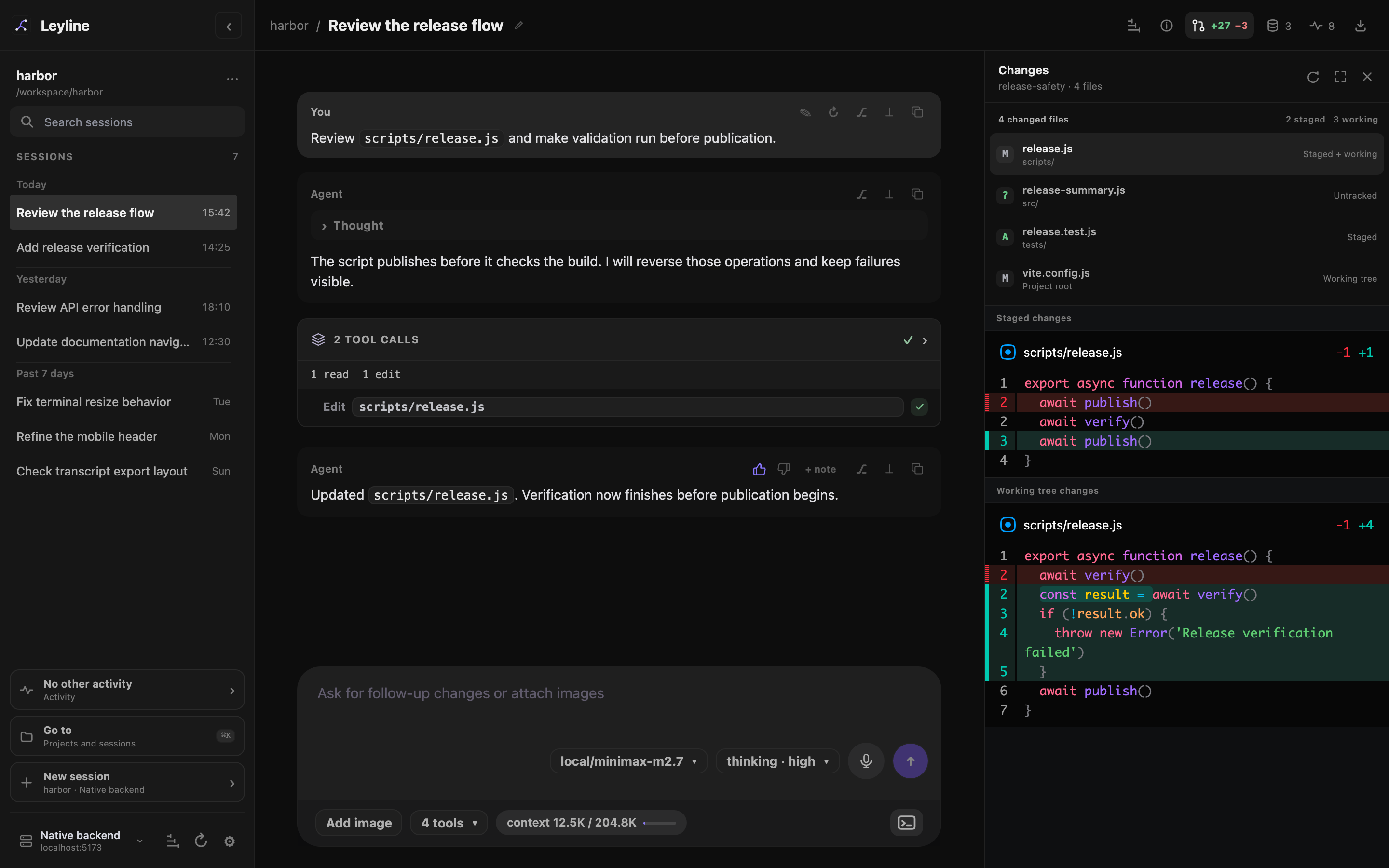
Read diffs beside the conversation.
Inspect staged changes, working-tree changes, and untracked files. The change summary updates while the agent runs.
Also in the workspace
Memory
Inspect and edit global, project, and session memory.
Subagents
Choose which models child agents use for delegated tasks.
Tracing
Record runs, then inspect model calls, tools, and usage.
Images and vision
Attach images, or let a vision model describe them.
Models and MCP
Configure providers, custom models, and MCP servers.
Backend connections
Connect a window to another Leyline backend.
Export
Save a session transcript as an HTML file.
Mobile layout
Use the same workspace from a phone.
Trace capture starts on for new runs. Traces stay on the selected backend and can contain private prompts and tool results.
Run Leyline locally.
Use the commands below to start the dev server. Leyline reads your existing pi configuration and sessions.
git clone https://github.com/spmurrayzzz/leyline.git
cd leyline && npm install
npm run dev