
Review Git changes
The desktop review pane shows uncommitted Git changes for the selected session's project. It is read-only and uses the selected backend's filesystem.
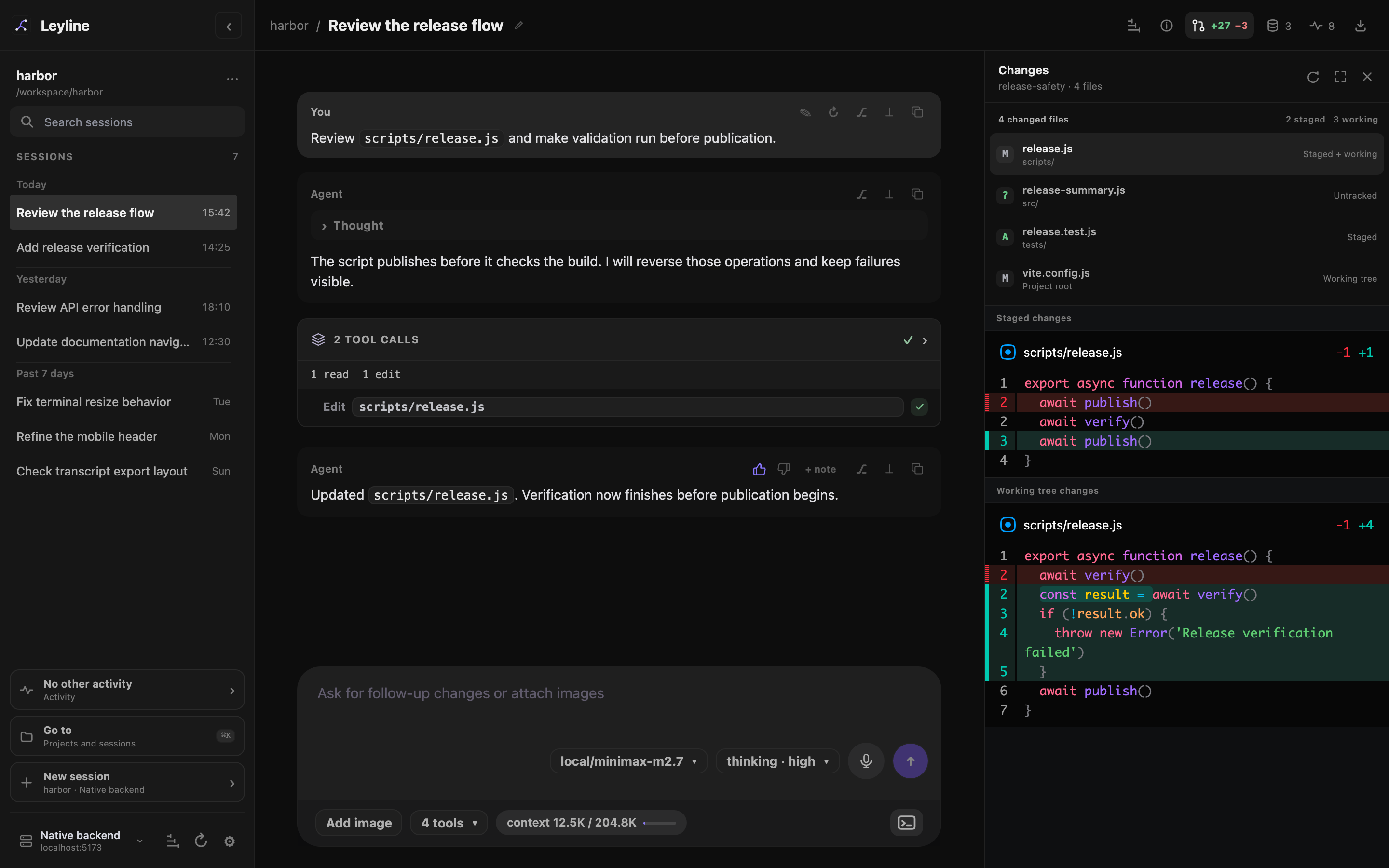
The review rail keeps the transcript visible while you inspect project changes.
Open the review pane
- Open a session in a Git project.
- Select Review changes in the session header.
- Select a changed file to inspect its diff.
The control appears when the viewport is wider than 1120 pixels and the selected backend supports Git review. Opening review closes any trace view. Opening traces closes review.
Leyline prepares the file list and selected diff before it opens the pane. The header summary stays current while the pane is closed. It shows additions and deletions when available, or a changed-file count. Its description includes the branch and conflicts.
Read file states
Each file row shows its Git state and change scope. The list can include these states:
- Staged changes are in the Git index.
- Working tree changes are not staged.
- Untracked files are new files that Git does not track.
- Conflict files need conflict resolution.
A file can have staged and working-tree changes at the same time. Leyline keeps those diffs in separate sections.
Renamed files show the old and new paths. Binary files show a binary-file state instead of a text diff.
Resize or expand review
Drag the left edge of the pane to change its width. You can also focus the resize handle and use Arrow Left or Arrow Right.
Select Expand review to use the full workspace after the sidebar. The file list becomes a narrow column beside the diff.
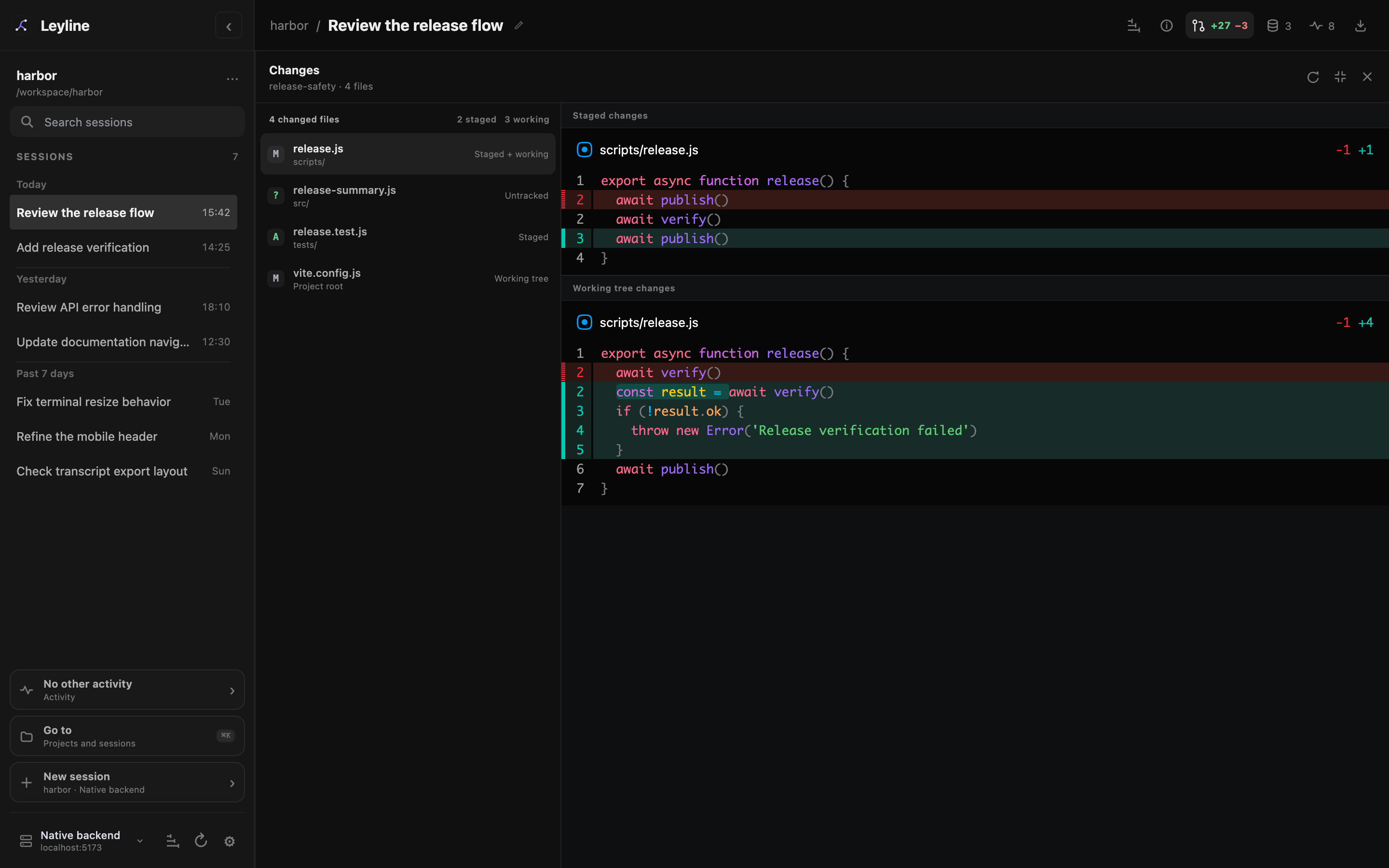
Expanded review hides the transcript until you collapse or close the review pane.
Press Escape or select Collapse review to restore the transcript and the previous pane width.
Refresh changes
Leyline automatically refreshes review when the selected backend detects a nonignored working-tree change or a relevant Git state change. Changes from another application normally appear without a manual refresh.
Leyline also refreshes after a known agent run or composer shell command settles. Select Refresh changes when automatic watching is unavailable or the displayed state appears stale.
With the pane closed, Leyline refreshes status and the header summary without rebuilding the selected diff. It prepares that diff when you reopen the pane. Reopening without changes reuses the prepared preview.
Use the terminal for Git actions
Review does not stage, discard, or commit changes. Use the terminal for Git actions and for these cases:
- The project has more than 500 changed files.
- A text diff is larger than 1 MiB or 5,000 lines.
- The changed path is a nested Git repository.